
Apple Watch sleep score explained: what's a good score and how it works (2026)
The Apple Watch sleep score rates each night 0 to 100 from duration, bedtime consistency and interruptions. What's a good score and where to see it.
The Apple Watch sleep score is a number from 0 to 100 that rates your previous night, based on three things: how long you slept (up to 50 points), how consistent your bedtime has been over the last 13 nights (up to 30 points) and how often and how long you woke up (up to 20 points). Apple groups scores into five bands, from Very Low (0 to 40) to Very High (96 and up), so a score above 80 counts as High. You'll find it in the Sleep app on your watch each morning and in the Health app on your iPhone.
Apple added the sleep score with watchOS 26 in September 2025. Here is how it works, how to read it, what it leaves out, and what to do when it doesn't match how you feel.
How the Apple Watch sleep score is calculated
According to Apple Support, your score is built from estimates of three components:
| Component | Points | What it looks at |
|---|---|---|
| Sleep duration | up to 50 | How long you slept |
| Bedtime consistency | up to 30 | When you fell asleep, compared with the last 13 nights |
| Interruptions | up to 20 | How often you woke up and how long you stayed awake |
A few things follow from that recipe:
- Duration is half the score. A short night caps your score, even if the sleep itself was calm.
- Regularity counts for almost a third. Falling asleep at a very different time than usual costs points, even after a long night.
- Interruptions are a smaller slice. Several wake-ups lower your score, but less than a short night does.
Apple says the way it scores and prioritizes these factors was informed by guidance from the American Academy of Sleep Medicine, the National Sleep Foundation and the World Sleep Society, and that it used more than 5 million nights of data from the Apple Heart and Movement Study to develop and test the algorithm. In its September 2025 announcement, Apple also mentioned time spent in each sleep stage among the factors that shape sleep quality, but the published points breakdown above gives sleep stages no separate share.
What is a good sleep score on Apple Watch?
Apple classifies your score into five bands:
| Score | Apple's classification |
|---|---|
| 96 to 100 | Very High |
| 81 to 95 | High |
| 61 to 80 | OK |
| 41 to 60 | Low |
| 0 to 40 | Very Low |
In practice, a score in the High band (81 and up) is a good night by Apple's measure, and OK (61 to 80) is a reasonable night with room to improve. Apple refined these classifications in watchOS 26.2, so check the info screen on your own device for the current wording.
Rather than chasing one number, look at your trend over a couple of weeks, and at which part of the breakdown is pulling your score down. If it's duration, the fix is time in bed. If it's consistency, the fix is a steadier bedtime. If it's interruptions, the question is why you wake up (more on that below).
How to see your sleep score on Apple Watch and iPhone
- On Apple Watch: open the Sleep app after you wake up. Your score appears once your sleep has been analyzed. Tap the info button to see the breakdown.
- In the Smart Stack or on a watch face: you can add the sleep score as a widget in the Smart Stack or as a complication on your watch face.
- On iPhone: open the Health app, tap Browse, then tap Sleep. Tap Sleep Score for details, then tap the info icon to learn how it's calculated.
You can see your score history over time in the Health app on your iPhone.
Which Apple Watch models have a sleep score?
When Apple launched it, the sleep score required watchOS 26 on Apple Watch Series 6 or later, Apple Watch SE (2nd generation) or later, or any Apple Watch Ultra, paired with an iPhone 11 or later running iOS 26. In other words, it isn't limited to the newest watches. Apple's sleep articles recommend keeping both devices on the latest software.
Sleep score not showing on Apple Watch? Check these
If your score is missing, go through this list:
- Software: both your watch and iPhone need to be up to date (watchOS 26 or later and iOS 26 or later at minimum).
- Compatible watch: see the models above.
- Sleep tracking is on: on the watch, open Settings, tap Sleep and turn on Sleep Tracking (or on iPhone, open the Apple Watch app, tap My Watch, then Sleep). In the Health app, "Track Sleep with Apple Watch" must be on.
- You wore it long enough: Apple says to wear your watch to sleep for at least 1 hour.
- Battery: charge your watch to at least 30% before bed. If the battery dies overnight, there's no sleep data. Turning on Charging Reminders helps.
- Fit: a loose watch can register extra movement and misread your sleep. Wear it snug but comfortable.
- Timing: the score appears after you wake up and your sleep has been analyzed, so give it a moment in the morning.
- Kids' setup: Sleep isn't available on watches set up with Apple Watch For Your Kids.
Our step-by-step guide to tracking sleep on Apple Watch covers the full setup.
Is the Apple Watch sleep score accurate?
The score is only as precise as the estimates it is built on, and Apple's own pages describe them as estimates. The good news is that two of its three ingredients, duration and timing, rest on what wrist trackers do best: telling sleep from wake. In a 2024 lab study of 35 healthy adults, the Apple Watch Series 8 correctly identified 97% of sleep compared with a full sleep-lab recording. It was less precise at telling sleep stages apart (it underestimated deep sleep by about 43 minutes on average), and it slightly underestimated time awake after falling asleep. That study was small, lasted one night and was funded by a competitor, so take the exact figures with caution.
In short: your total sleep and bedtime are probably close; the exact count and length of wake-ups is rougher; and the score is most useful for spotting trends, not for grading a single night to the point.
Why your sleep score may not match how you feel
You can score 85 and wake up drained, or score 60 and feel fine. Some reasons:
- The score doesn't know how you feel. It measures sleep timing and interruptions, not whether the sleep was restorative for you.
- Short wake-ups may be missed. Brief awakenings, such as from a hot flash, can slip under the radar or look small on paper but leave you wired.
- Stages get no separate points. Two nights with the same duration and timing can score the same even if one had far less deep sleep (here's how much deep sleep you need).
- It doesn't explain causes. A low interruptions score tells you that you woke up, not why. Was it heat, alcohol, stress, a bathroom trip?
- Life outside sleep matters. Illness, stress, medication or a hard day affects how you feel regardless of the score.
If you often feel exhausted despite good scores, or you snore or wake up gasping, mention it to your doctor. A sleep score is a wellness feature, not a medical test.
How Sleepwrist's sleep score is different
Apple's score is a solid, free starting point, and it's built into your watch. Sleepwrist reads the same sleep data your Apple Watch already records in Apple Health, and scores it differently, for a different question: not only "how did I sleep?" but "what woke me up, and what can I try tonight?"
- What goes in: time asleep (compared with an 8-hour goal), your share of deep sleep, your share of REM sleep, sleep efficiency (how much of your time in bed you actually slept) and continuity (wake-ups per hour).
- Words first: the 0 to 100 score is told as Optimal, Good, Fair or Poor, and each part gets its own verdict.
- The cause of wake-ups: Sleepwrist finds the hour you wake up most and lines your wake-ups up with your wrist temperature (on watches that record it) or with your heart rate and sleep stages, to show what is likely waking you, for example more wake-ups on warmer nights.
- One thing to try tonight: Wristy, a friendly watch mascot, explains your night in plain words each morning and gives a single, specific suggestion that changes with your nights, instead of the same advice every day.
- How you feel counts: a daily mood check-in lets you compare how rested you feel with what the data says.
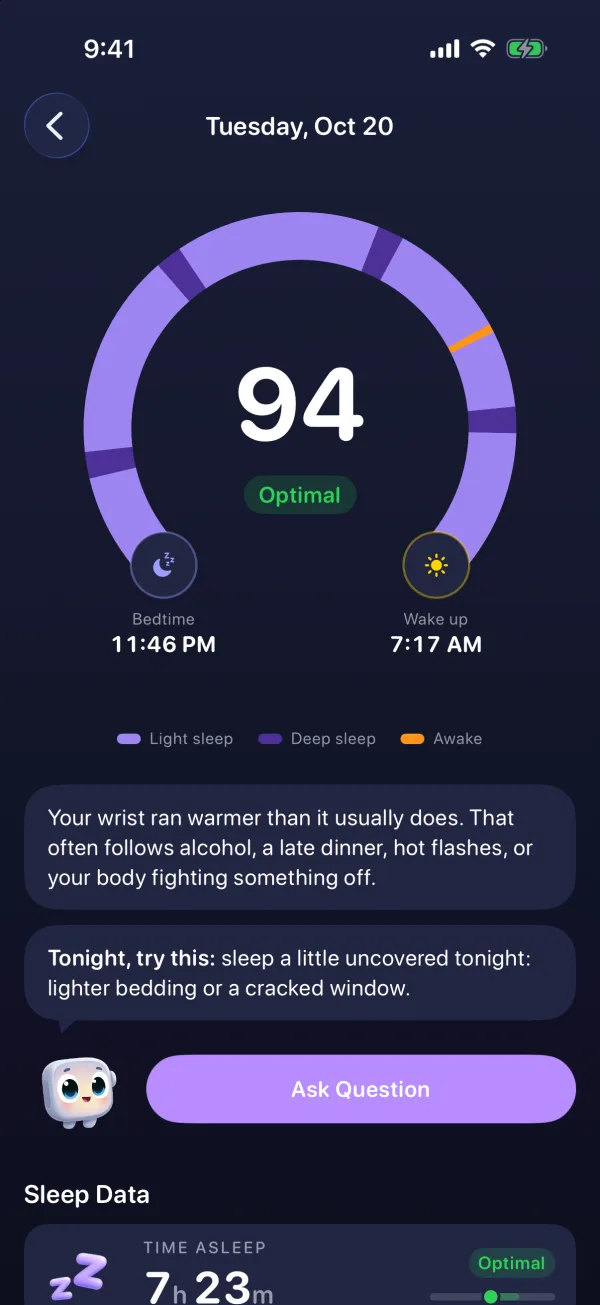
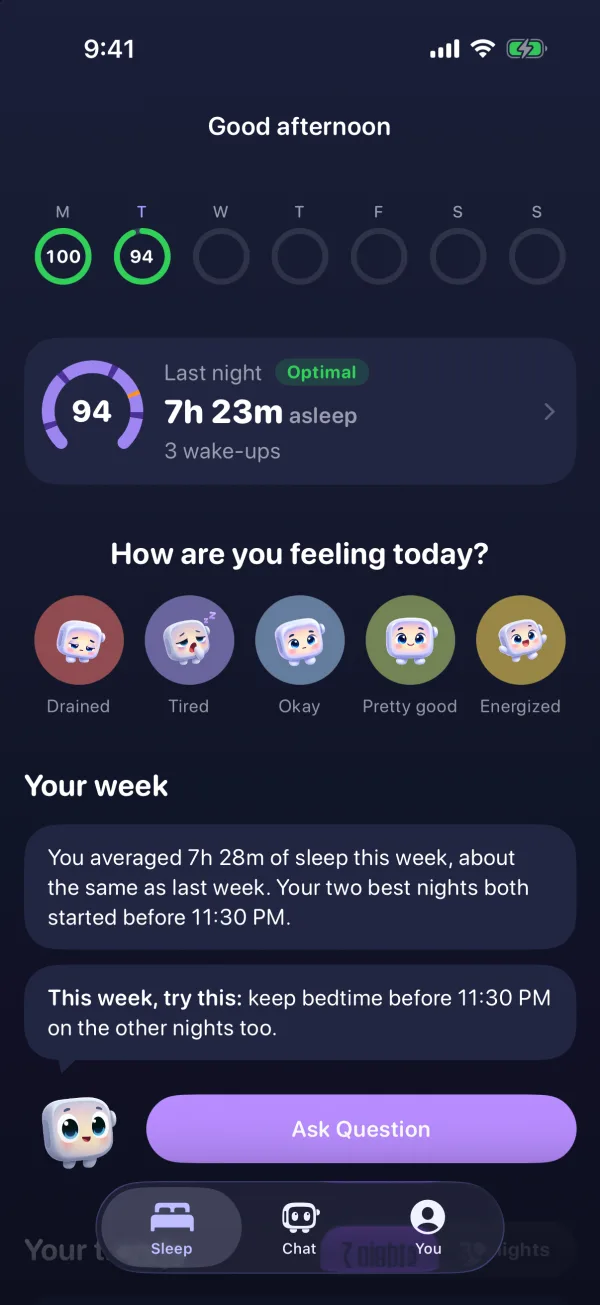
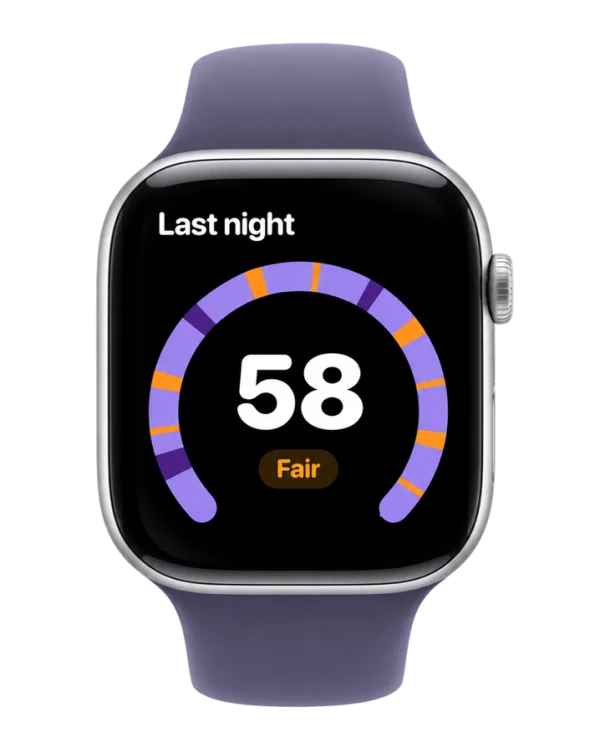
You can see your score and Wristy's one-liner on your wrist too, with the Sleepwrist Apple Watch app. Sleepwrist is a wellness app, not a medical device. If you're comparing options, see our roundup of the best sleep apps for Apple Watch or our Sleepwrist vs SleepWatch comparison.
How to improve your Apple Watch sleep score
- Protect your sleep time. Duration is worth half the points, so giving yourself enough time in bed to meet your sleep goal matters most.
- Fall asleep at a similar time each night. Consistency is judged over the last 13 nights, so a steady routine pays off over two weeks, not one night.
- Reduce what wakes you. A cooler bedroom, less alcohol in the evening and treating hot flashes can all cut interruptions. See why you wake up at 3 AM.
- Wear the watch snugly and charge it before bed, so the score is based on a full, accurate night.
Frequently asked questions
What is a good sleep score on Apple Watch?
Apple calls 81 to 95 "High" and 96 or more "Very High," so anything above 80 is a good night by Apple's scale. A score of 61 to 80 is "OK." Your trend over a few weeks says more than a single night.
How is the Apple Watch sleep score calculated?
Apple combines estimates of sleep duration (up to 50 points), bedtime consistency over the last 13 nights (up to 30 points) and interruptions, meaning how often and how long you woke (up to 20 points). The total is a score from 0 to 100.
Why is my Apple Watch sleep score low when I slept 8 hours?
Duration is only half the score. Falling asleep much later or earlier than your recent nights costs consistency points, and frequent or long wake-ups cost interruption points. Tap the info button in the Sleep app to see which part pulled your score down.
Why is my sleep score not showing?
Check that your watch and iPhone run watchOS 26 and iOS 26 or later, that your watch is a compatible model, that Sleep Tracking is on, and that you wore the watch to bed for at least an hour with enough battery. The score appears after you wake up and your sleep is analyzed.
Does the Apple Watch sleep score include deep sleep?
Apple's published breakdown gives points for duration, bedtime consistency and interruptions, without a separate share for deep or REM sleep. You can still see your sleep stages in the Sleep app and the Health app.
Is the Apple Watch sleep score accurate?
It's built on estimates. The Apple Watch is good at telling sleep from wake, which drives most of the score, and less precise at sleep stages and brief wake-ups. Use it to follow trends rather than to judge one night.
Sources
- Apple Support, View your sleep score on Apple Watch
- Apple Support, Track your sleep on Apple Watch and use Sleep on iPhone
- Apple Support, Track your sleep on Apple Watch (Apple Watch User Guide)
- Apple Support, About watchOS 26 Updates
- Apple Newsroom, Apple debuts Apple Watch Series 11 (September 2025)
- Robbins et al. (2024), Accuracy of Three Commercial Wearable Devices for Sleep Tracking in Healthy Adults, Sensors
This article is for general information and does not replace advice from your doctor. If your sleep problems last more than a few weeks or come with other symptoms, talk to a healthcare professional.